
Over the last month or so I’ve been working on bringing more support for WooCommerce into GB Query Enhancements. This release is chock full of great features for doing queries in WooCommerce including around 22 new dynamic tags specifically for WooCommerce. The beta is available to download in your account and you can also opt-in to development updates in your plugin settings if you want to receive the latest updates (note: do not do this for production sites).
This release brings WooCommerce loop features, the new Meta Query Builder, and the ability to preview the final query PHP. You can read the full changelog below:
v1.3.0-beta.2
New
- Query Preview: preview the resolved query arguments for any Query block directly in the editor, with one-click copy to clipboard. Available from both the sidebar inspector and the block toolbar, and works across Term, User, Post, and WooCommerce queries.
- Visual Meta Query builder: build meta queries with multiple clauses, an AND/OR relation between them, and a compare operator (=, !=, LIKE, IN, BETWEEN, EXISTS, …) and value type (CHAR, NUMERIC, DATE, …) per clause. Works for all query types.
Improved
- Better WooCommerce query presets for faster setup.
- Cleaner inspector UI and parameter handling across all query types.
- Updated hooks documentation.
Fixed
- WooCommerce meta queries now build and resolve correctly.
- Fixed incorrect meta_value handling that produced bad query parameters.
- Corrected meta query parameter handling (relation and value normalization).
- Fixed issue that caused Meta Queries to not output correctly for Post Queries.
v1.3.0-beta.1
New
- WooCommerce query type: new
WooCommerce_Queryintegration lets the Query block query products, product variations, and product categories. Includes its own REST endpoint, query-arg normalization, and looper render handling. - 22 WooCommerce dynamic tags
product_priceproduct_regular_priceproduct_sale_priceproduct_skuproduct_stock_statusproduct_stock_quantityproduct_ratingproduct_review_countproduct_add_to_cart_urlproduct_add_to_cart_textproduct_image_urlproduct_galleryproduct_weightproduct_dimensionsproduct_on_saleproduct_attributeproduct_titleproduct_variation_descriptionproduct_category_image_urlproduct_urlproduct_optionproduct_options
- Variation grouping: products can be queried as grouped variations, with dedup logic, primary/secondary attribute resolution, and a dedicated “Grouped Variation Card” template + icon.
- WooCommerce template library: pre-built starter templates: Product Card, Product List, Category Grid, Variation Card, and Grouped Variation Card (plus “Start blank” options).
- Structured Meta Query control: new
MetaQueryControlUI and sharedMeta_Query_BuilderPHP class that emit proper structuredmeta_queryarrays instead of flat key/value params. - Button class auto-resolution:
resolveButtonClass()/injectButtonClassIntoTemplate()resolve button styling for template buttons (plugin setting → GB Pro global classes → GB default button styles).
Improved
- Unified meta handling:
Post_Query,Term_Query,User_Query, andWooCommerce_Queryall refactored to build structuredmeta_queryarrays through the sharedMeta_Query_Builder, replacing the previous per-class ad-hoc handling. - Term queries:
hide_emptyis now sticky. - Test coverage: large additions: new
Dynamic_Tags_Output_TestandWooCommerce_Query_Test, plus significantly expandedPost_Query,Term_Query, andUser_Querytests. - Meta Queries for all query types are now coerced into the meta_query array structure instead of flat values. This addresses some functionality issues and prepares the way for multiple meta query dimensions per Query block (coming in a future release).
Fixed
- Runtime error that caused certain autocomplete controls to load [object Object] instead of the attribute value.
New Query Type: WooCommerce
GenerateBlocks has always had the ability to do a Product query out of the box since WooCommerce products are a custom post type. However, WooCommerce Variations aren’t included in those queries so you can only loop over the top level products. While Variations are also a custom post type, they’re marked as hidden when they’re registered. This causes them to not be included in the list of available post types when you query the WP REST API, which is what GenerateBlocks is using to get those choices.
My solution was to create a single query type that is dedicated to WooCommerce things so you can easily choose between a WooCommerce Product or Variation query and everything else is fully dialed in around WooCommerce changes. Some of this functionality is subject to change as this is a beta but I think there’s a solid foundation with some good ideas and overall improvements (with undoubtedly more still to come).
Now when you type /woo you’ll see a variation available for WooCommerce Products or WooCommerce Product Categories.
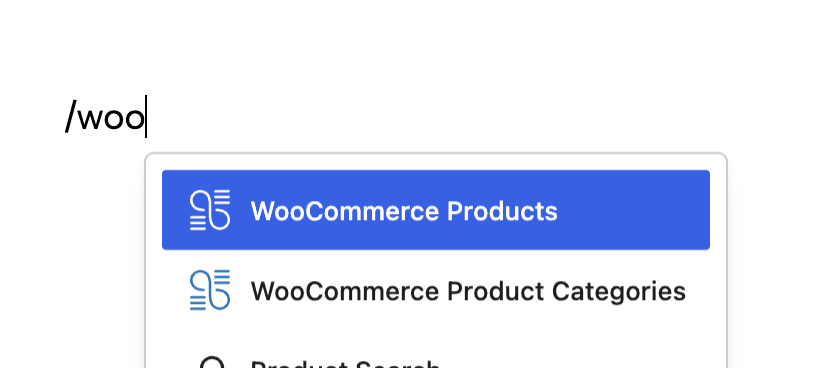
The former will create a WooCommerce loop and the other will create a Term Query that targets the product_cat taxonomy used by WooCommerce. Both of which are fully customizable.


If you were to choose one of the Product choices, you’ll see the blocks configured for you with all of the standard product query options available. All parameters for the PHP version of the product query (WC_Product_Query) should be supported.
If you choose a Variation template you’ll likewise see all the block settings pre-configured for that purpose.
Presets
Both Product and Variation Queries include a few Presets. These are available in the Preset dropdown and each type has it’s own presets. I’ll likely be adding more of these and expanding overall support for them in the future. These are also filterable so you can add your own presets (I’ll be documenting how to do this).
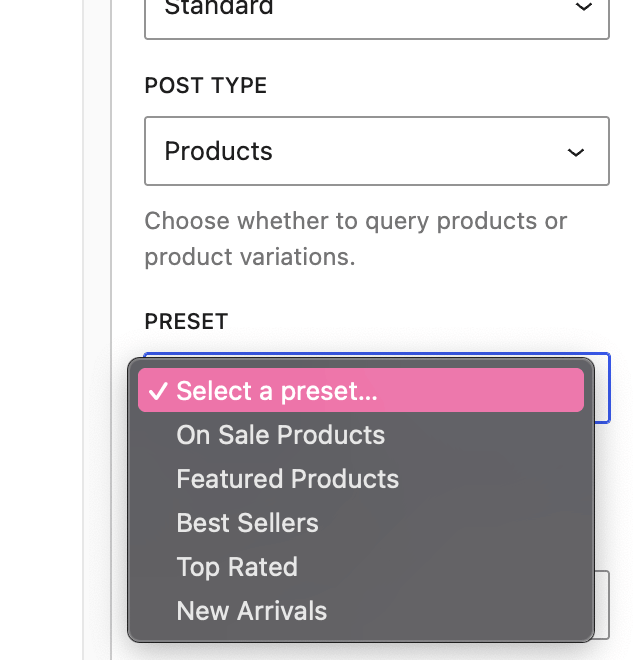
When you choose a preset, it’s effectively configuring multiple settings for you at once (like a shortcut). From there you can customize the settings however you want. I think of these as a step between needing an entire pattern for something and having a simple “most of the way there” set of starting points.
I would expect some further refinements and adjustments to these before the final release.
Variation Groups
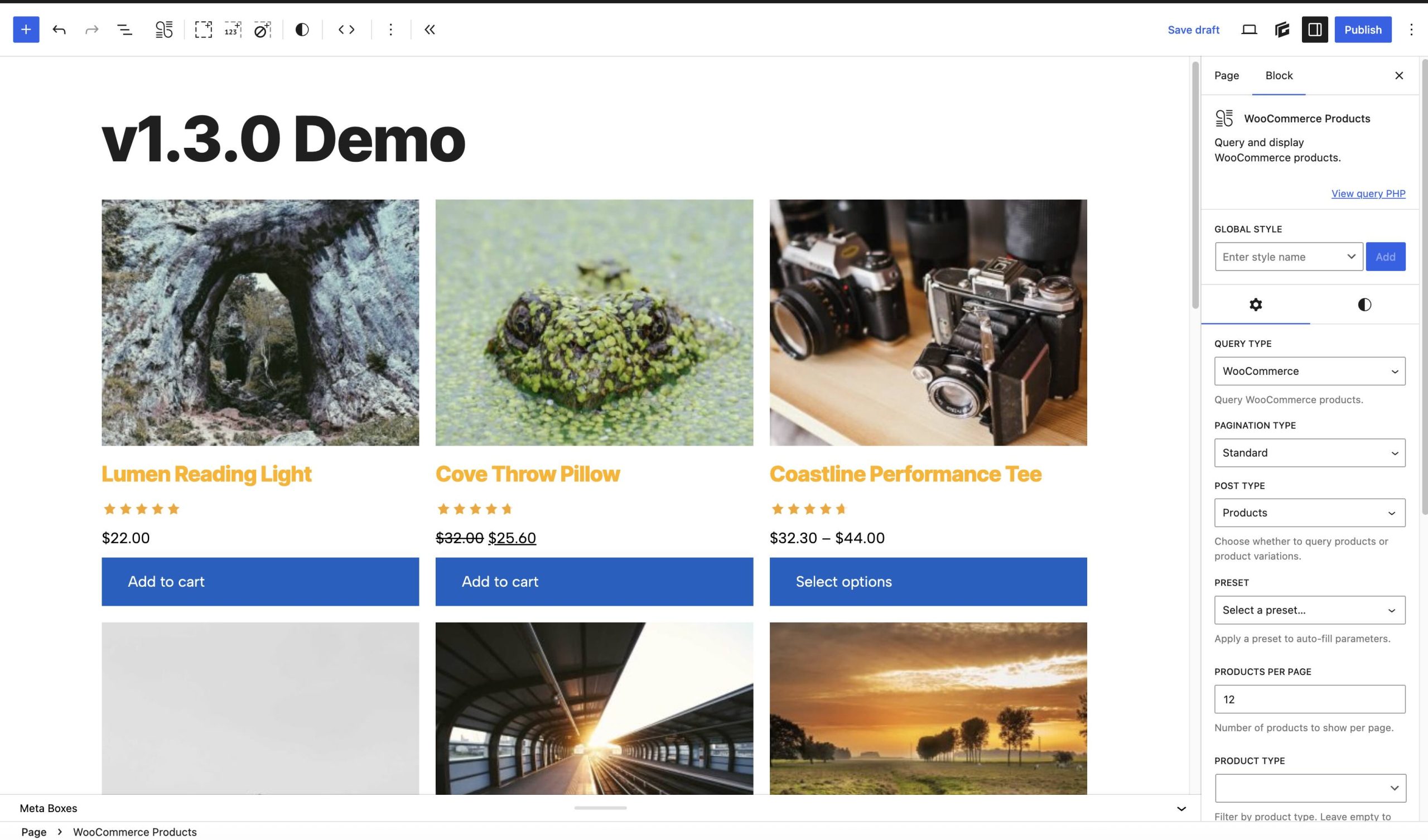
One feature I’m super excited about is the Variation Query Group mode. This allows you to do some really neat stuff like group variations by a primary attribute (such as color). This type of layout is very common with clothing stores if they sell the same item in multiple colors and sizes.
New WooCommerce Dynamic Tags
This release includes a number of additional dynamic tags that you can use to display information about your products, even outside of Query loops. When you combine these with the loop_item tag (included in GB Pro) you can effectively get any useful piece of information about a product or variant you could possibly want (if I left anything major out, tell me!).
Here’s the full list:
product_priceproduct_regular_priceproduct_sale_priceproduct_skuproduct_stock_statusproduct_stock_quantityproduct_ratingproduct_review_countproduct_add_to_cart_urlproduct_add_to_cart_textproduct_image_urlproduct_galleryproduct_weightproduct_dimensionsproduct_on_saleproduct_attributeproduct_titleproduct_variation_descriptionproduct_category_image_urlproduct_urlproduct_optionproduct_options
I want to call out a few tags in particular to highlight some features they have:
product_title
You can choose to use the full title, attributes only, or the base title (no attributes). Additionally you can choose to automatically append the chosen Primary Attribute for a variation. This allows you to include the primary attribute inside the product title link without any extra hacks or weirdness.
product_option
This allows you to output a given attribute’s value. You can also use the primary and secondary keywords to automatically grab the primary or secondary attribute for the loop you’re in. This type of thing is very useful when you’re displaying tables or lists of variations.
product_rating
You can display a rating in numeric terms (i.e. 1,2, 4.5, 5, etc) or in stars. You can choose to use native WooCommerce output instead of the CSS from GB Query Enhancements too. However, those styles only load on WooCommerce pages so the default is the plugin’s own output to ensure broader compatibility.
Meta Query Builder
This feature almost didn’t make this release but I went ahead and added it anyway because it was too cool to pass up! Previously you had the ability to use the meta_* params but they had to be used individually.
GB Query Enhancements now allows you to build your own multi dimensional meta queries directly inside the block editor.
You can choose exactly which parameters are included in each clause and you can choose the relationship between them. This is a super powerful feature that you can use to create detailed queries that fit your site’s exact needs.
Under the hood, everything lines up to native core WordPress/WooCommerce args which makes it easy to see how everything is working and compare it against docs or other code you’re looking at.

Query Previews
This feature is simple but I hope many will find it useful! As I’ve built this plugin, I wanted to have a simple way to see what the final resulting PHP for a given query was (after all filters and other customizations). Now the Query Block includes a “View Query PHP” link which will open a modal that shows you the final resulting PHP that will be used in your query.
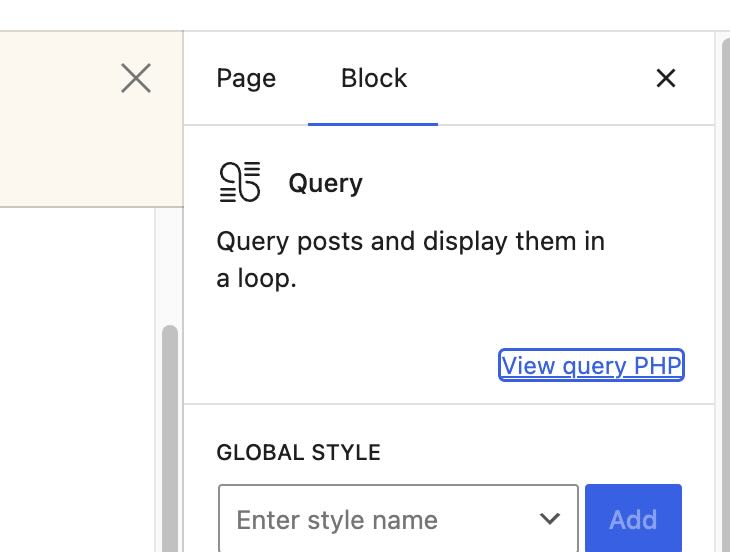
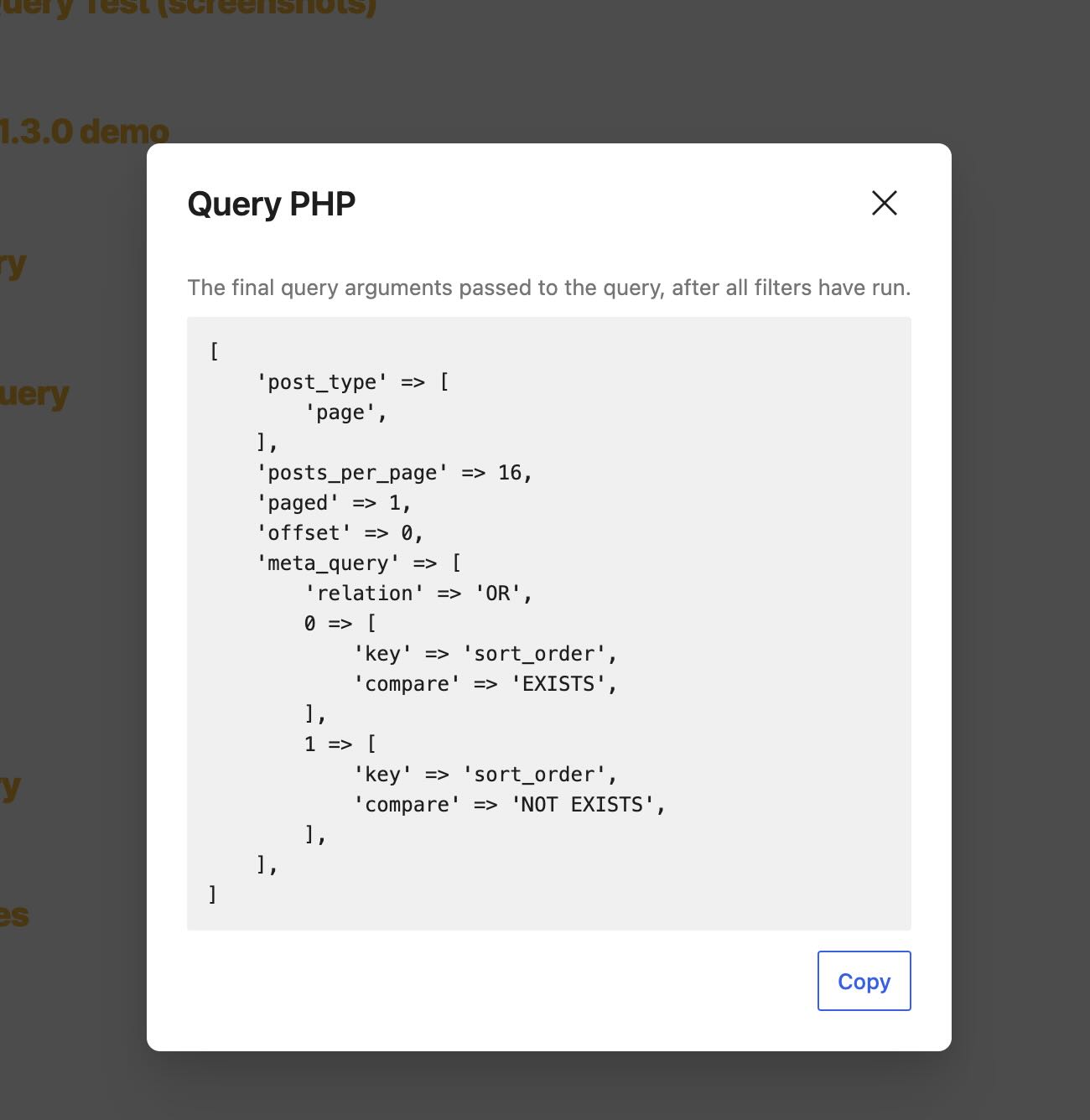
You could copy this directly out of here and insert it into your own PHP code and it would work just the same!
Additionally you can access this from the Query block toolbar:

This feature is available at the block level so you can use it with any query type including the ones that ship with GenerateBlocks already.
Additional Fixes and Improvements
A number of various technical bugs and UX improvements have been made. I’m working hard to make this the best experience possible and I’m experimenting with some new ideas to make this tool better and easier to use for everyone, no matter your use case.
As such, I’d appreciate any feedback on the release! I can’t promise I’ll do everything requested, but I’ll absolutely listen to and consider every idea.