
GB Query Enhancements is an add-on for GenerateBlocks. It gives the GenerateBlocks Query block three new ways to list content: terms, users, and WooCommerce products. Additional, the plugin adds extra tools that help you filter and display that content without writing any code.
What is a query?
A query is a request you send to WordPress that says “give me a list of something.” GenerateBlocks already lets you query (list) posts and pages. This plugin adds three more things you can list.
The four query types
When you open a GenerateBlocks Query block, you pick a query type from a drop-down menu. Without this plugin you only see Post. With it, you also see Term, User, and (if WooCommerce is installed) WooCommerce.
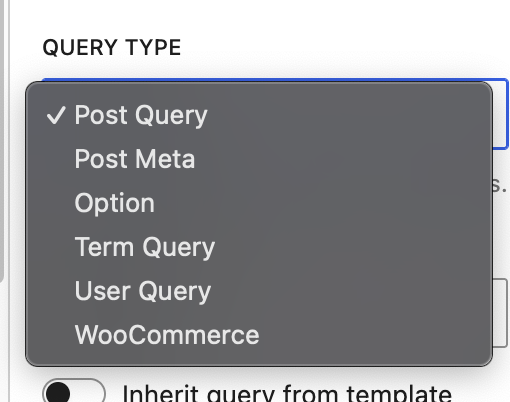
| Query type | What it lists | Common example |
|---|---|---|
| Post | Posts, pages, or custom post types | A blog roll or news feed |
| Term | Taxonomy terms (categories, tags, or any custom taxonomy) | A list of all your product categories |
| User | People registered on your site | A team page or author directory |
| WooCommerce | Products or product variations | A shop page or a product comparison grid |
The Post query type is built into GenerateBlocks. The three new types are what this plugin adds.
Term query
Choose Term when you want to loop through a list of categories, tags, or any other taxonomy (a taxonomy is just a way WordPress groups content). For example, you could build a grid that shows every product category with its name, description, and thumbnail.
User query
Choose User when you want to list people such as authors, team members, or any registered site user. A classic use is a “Meet the team” page where each card shows the person’s name, photo, and bio.
WooCommerce query
Choose WooCommerce when you want to list products or product variations from your store. This option only shows up if WooCommerce is active on your site. If WooCommerce is not installed, you will not see this option at all.
Extra tools that come with the plugin
Beyond the new query types, GB Query Enhancements adds four more tools to your workflow.
Dynamic tags
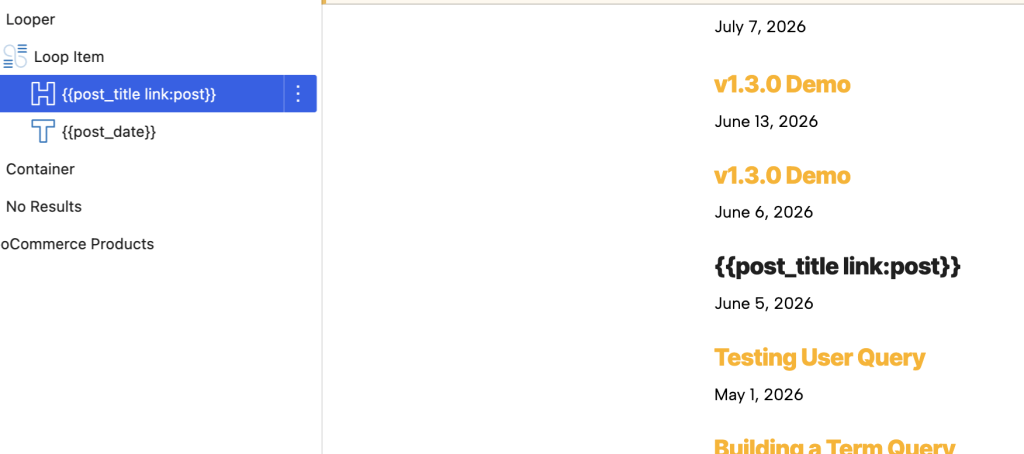
Dynamic tags are small placeholders that look like {{tag_name}}. You drop one into a text block, and WordPress fills it in with live data when the page loads. This plugin adds a large set of tags for term data (like a category name or description), user data (like a user’s display name or email), and product data. You do not need to write any code to use them.
Meta Query builder
A meta query lets you filter your list by custom fields (extra data attached to a post, term, user, or product, like a price range or a rating). Normally setting up a meta query requires code. GB Query Enhancements gives you a visual builder right in the block inspector without needing to write custom code.

Query Preview
Query Preview shows you the actual results of your query while you are still in the editor. You can see which items will appear on the page before you publish anything. This makes it much easier to test filters and settings.

Ready-made templates
The plugin includes starter templates for common layouts like a category list or a team directory so you can get up and running quickly without building everything from scratch.
Quick reference: when to use each query type
- Post: normal blog posts, pages, or custom post types (this is the default GenerateBlocks type, not added by this plugin)
- Term: lists of categories, tags, or any taxonomy grouping
- User: lists of people: authors, team members, or any site user
- WooCommerce: lists of products or product variations (requires WooCommerce)
A note for developers
GB Query Enhancements plugs into GenerateBlocks through its query-data and looper-render filters. It also exposes its own hooks so you can extend or override behavior in custom code. See the Hooks Reference doc for details.